















Key Takeaways
If you’ve ever printed a shipping label on regular paper, carefully cut around the edges, and taped it to a package—only to repeat the process fifty more times—you already know why small business owners invest in a dedicated shipping label printer. The right equipment can transform your shipping workflow from tedious to efficient, saving you time and reducing errors.
This guide walks you through everything you need to know about choosing the best shipping label printer for your small business. We’ll cover the top options across different price points, explain the key features to look for, and help you decide which printer fits your operation.
A thermal shipping label printer uses heat instead of ink to create labels. The printer’s thermal printhead applies heat to specially coated label paper, which darkens to produce text, barcodes, and graphics. This technology—the same one used by major shipping carriers—offers several advantages for small businesses.
First, you never need to buy ink or toner. The ongoing cost is simply the labels themselves. Second, thermal labels are smudge-resistant and durable, so barcodes scan reliably and addresses stay legible through handling and weather. Third, these printers are fast—many models produce a 4×6 label in about one second.
The standard shipping label size is 4 inches by 6 inches, which fits requirements for USPS, UPS, FedEx, and most other carriers. When you’re evaluating options, look for a 4×6 shipping label printer that handles this size natively.
If you’re a Stamps.com user, choosing a printer from the Stamps.com Supplies Store offers a significant advantage: guaranteed compatibility. These printers are tested to work seamlessly with Stamps.com software and Stamps.com Online, so you can start printing shipping labels and NetStamps without troubleshooting driver issues or configuration headaches.
The Stamps.com store carries thermal printers from trusted brands including ProLabel, Zebra, and DYMO—each selected for reliable performance with Stamps.com workflows.
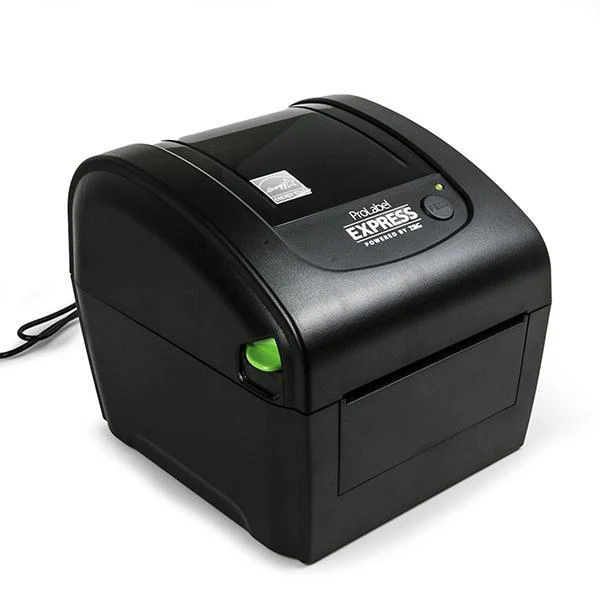
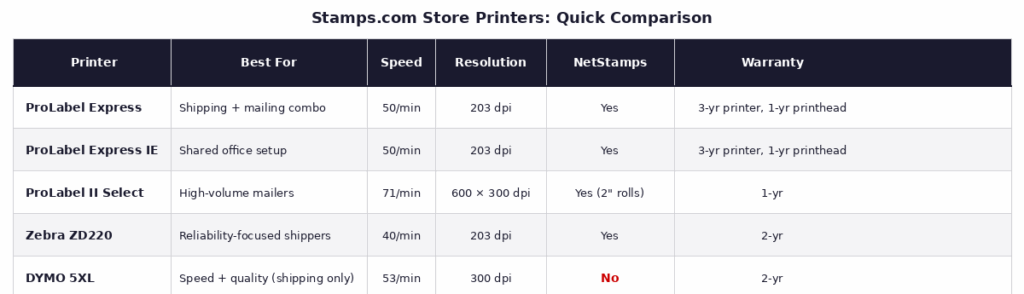
The ProLabel Express was built with Stamps.com users in mind. It prints labels up to 4 inches wide—so your standard 4×6 shipping labels are no problem—and cranks through about 50 of them per minute at 5 inches per second.
But here’s what really sets it apart: you’re not limited to just shipping labels. Need to print NetStamps for a stack of letters? Done. Address labels for a mailing campaign? Also done. It’s genuinely a do-it-all machine for businesses that both ship and mail.
The printer itself is compact (7″ × 6.5″ × 8″) and uses 203 dpi direct thermal technology. No ink cartridges cluttering your desk or toner to replace mid-project. It works with both the Stamps.com desktop software on Windows and Stamps.com Online on PC or Mac. Connect it via USB, load the included starter roll, and you’re up and running in minutes.
One nice perk: the warranty. You get 3 years on the printer itself and 1 year on the printhead—solid coverage for the price.
Need to share the printer across an office? The ProLabel Express IE adds Ethernet connectivity, so multiple computers on your network can print to it. Same specs otherwise.
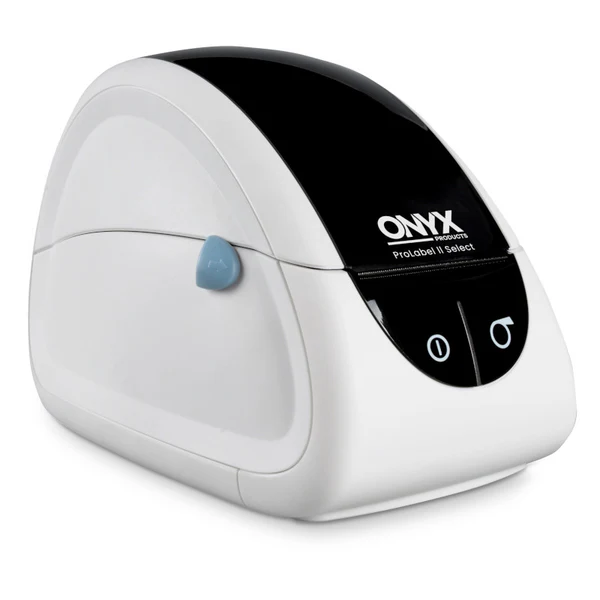
If your business leans more toward mailing than shipping, this one’s worth a look. The ONYX Products ProLabel II Select is a 2-inch thermal printer purpose-built for NetStamps rolls and address labels.
It’s actually the sharpest printer in the Stamps.com lineup—600 × 300 dpi resolution versus 203 dpi on most others. And at 71 labels per minute, it’s the fastest too (though we’re talking smaller labels here, not 4×6 shipping labels).
Law firms, accounting offices, nonprofits running fundraising mailers—these are the kinds of businesses that get real value from a dedicated NetStamps printer. You load a roll, print exactly the postage you need, and skip the waste that comes with partially-used sheets. The 1-year warranty is shorter than some competitors, but for a specialized tool like this, it gets the job done.
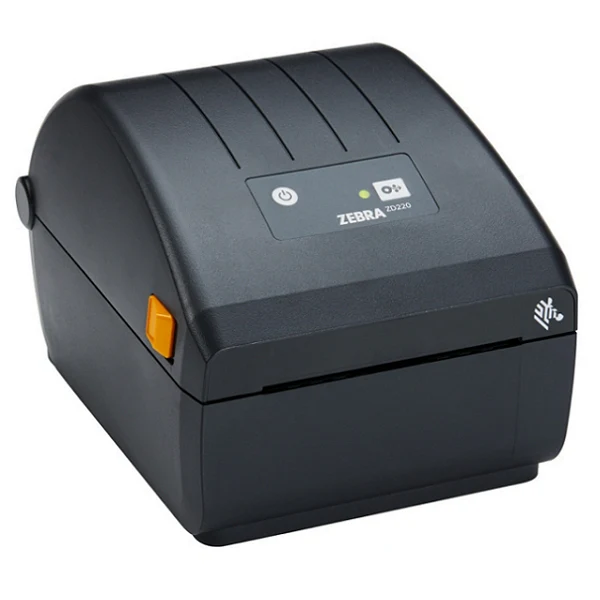
Zebra has a reputation in the shipping world, and it’s well-earned. Their industrial printers run for years in warehouses and fulfillment centers. The ZD220 brings that same reliability to a desktop format.
Speed-wise, it’s a bit slower than the ProLabel Express—40 labels per minute versus 50—but Zebra owners tend to prioritize uptime over raw speed. These printers just don’t quit. The build quality shows in the 2-year warranty, too.
At 8.6″ × 6.9″ × 5.9″, it’s slightly larger than some competitors but still fits comfortably on most desks. It connects via USB and handles both 4×6 shipping labels and NetStamps rolls. One catch: it’s Windows-only (XP through 10), so Mac users will want to look elsewhere.
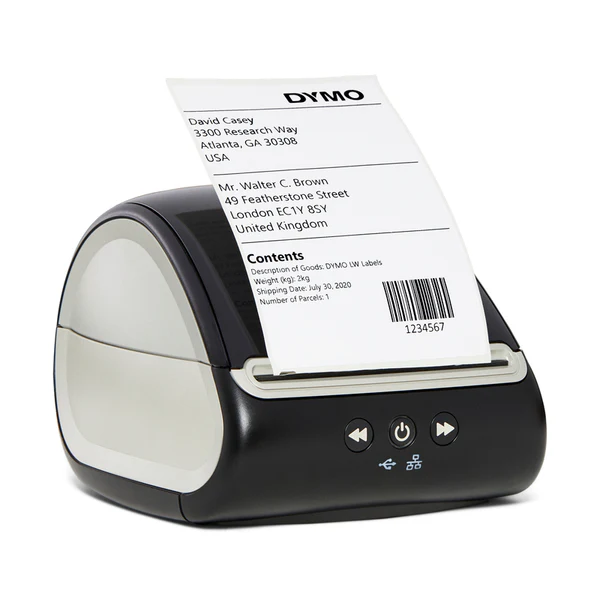
The DYMO 5XL wins on speed: 53 labels per minute, fastest in the Stamps.com store for 4×6 shipping labels. It also has the highest resolution at 300 dpi, so your barcodes come out crisp and scannable every time.
The Automatic Label Recognition feature is genuinely useful—it tells you which labels are loaded and how many remain, so you won’t run dry halfway through a batch. And unlike most thermal printers in this category, it offers both USB and LAN connectivity.
Now for the caveats. There are two, and they’re significant.
First, the DYMO 5XL doesn’t print NetStamps. At all. If you need postage stamps for letters alongside your shipping labels, you’ll need a second printer or a different primary machine.
Second, it only works with DYMO-branded labels. No generic rolls, no third-party options. DYMO labels cost more than the alternatives, and you’re locked in once you buy the printer. For some businesses, the speed and quality justify that tradeoff. For others, it’s a dealbreaker.
The 2-year warranty and compatibility with both Windows (8.1+) and Mac (10.14+) through Stamps.com Online round out the package.
One of the most convenient features for Stamps.com users is the ability to print NetStamps—official USPS-approved postage stamps you create right from your computer. Instead of buying stamps at the post office, you print exactly the postage you need, when you need it.
NetStamps work for domestic and international letters and postcards. You can print the exact denomination for each mailpiece, eliminating overpaying on postage. If a print goes wrong, Stamps.com lets you reprint at no extra charge—just click the Reprint button before leaving the screen.
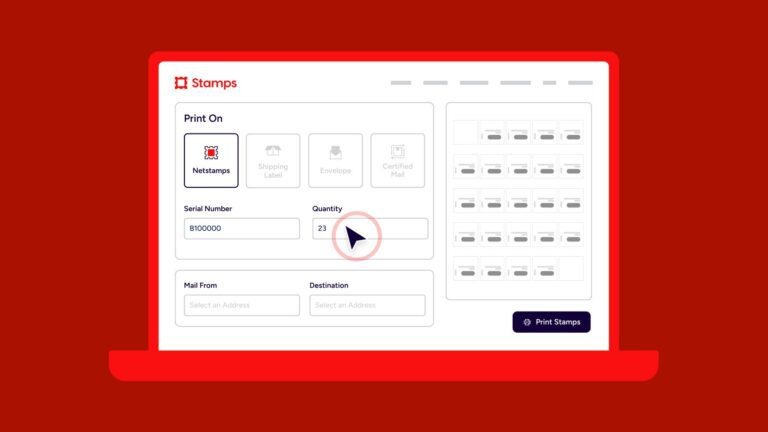
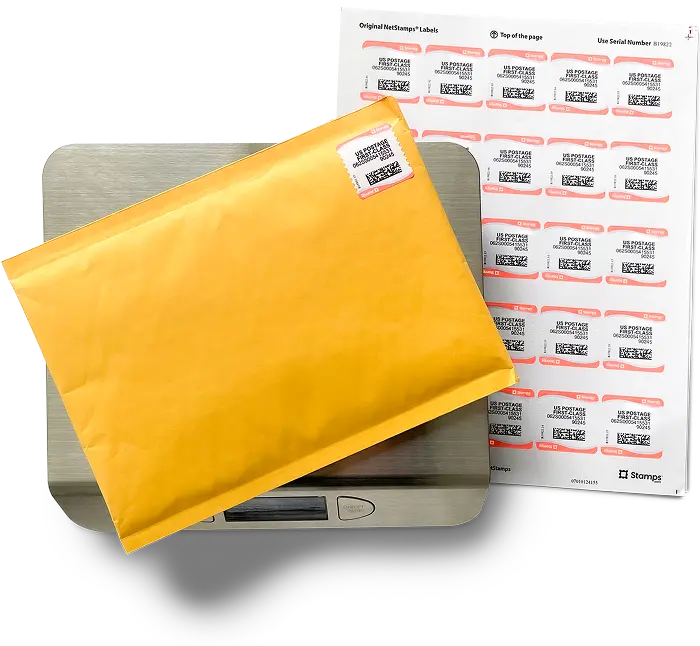
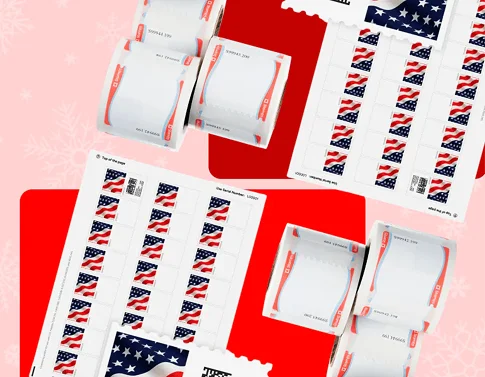
NetStamps sheets are 8.5″ × 11″ sheets containing 25 labels. They work with standard inkjet or laser printers you likely already own. Load a sheet, enter the serial number into Stamps.com, and print a full sheet or just the stamps you need.
NetStamps rolls are designed for 2-inch thermal printers like the ProLabel II Select, or work with wider thermal printers like the ProLabel Express and Zebra ZD220. If you mail high volumes, rolls offer faster printing and less waste than sheets. The thermal printer produces crisp, USPS-compliant postage without ink costs.
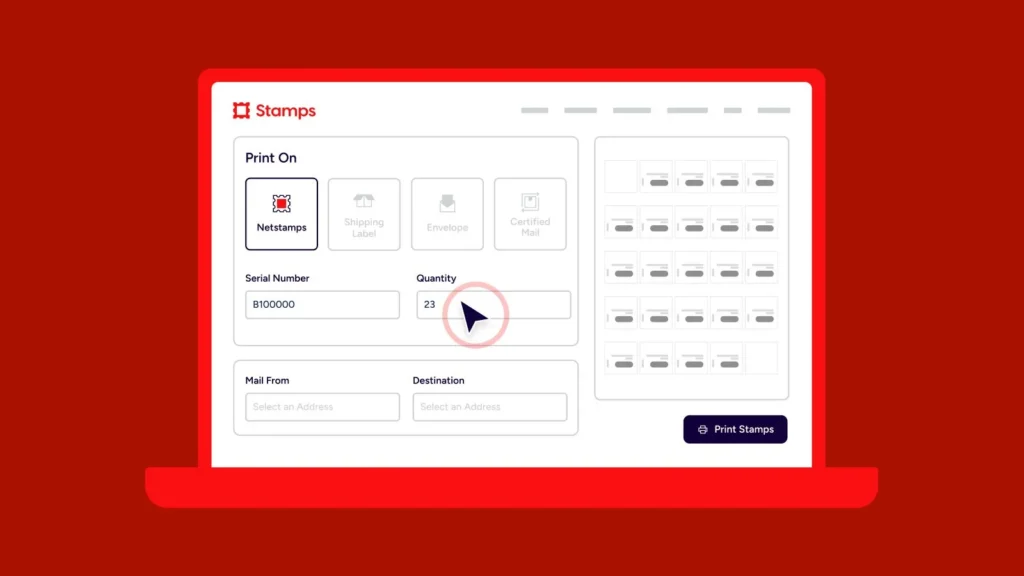
Setting up is straightforward: configure your printer, print a free sample to confirm alignment, and you’re ready to go. Stamps.com’s software automatically calculates postage based on mailpiece type and weight, or you can specify an exact amount.
Beyond the Stamps.com store offerings, here’s how other popular options compare for different business needs.
The Rollo USB shipping label printer has earned a strong reputation among ecommerce sellers for good reason. It delivers commercial-grade printing at a consumer-friendly price, with high-speed output of about 150mm per second—roughly one 4×6 label per second.
Rollo works with standard thermal direct labels from any manufacturer, keeping ongoing costs low. It integrates smoothly with Stamps.com, ShipStation, Shopify, eBay, Amazon, and other major platforms. For businesses wanting wireless capability, the Rollo Wireless offers WiFi connectivity and AirPrint support for printing from phones, tablets, or computers.
For sellers who work primarily from mobile devices or need portability, a Bluetooth thermal shipping label printer offers the most flexibility. The Nelko Bluetooth thermal shipping label printer and the JADENS Bluetooth thermal shipping label printer are both popular options in this category.
Both models connect wirelessly to Android and iOS devices, support 4×6 labels, and work with major marketplaces and carriers. They’re compact enough to travel to pop-up events or farmers markets if you need mobile printing capability. The JADENS offers automatic label alignment and high-speed printing despite its budget-friendly price point.
Brother’s known for build quality, and it shows in the QL-1100. The Brother QL-1100 supports labels up to 4 inches wide, prints at 300 DPI, and can produce up to 69 address labels per minute.
Brother printers provide durability and consistent output, making them a solid choice if you’re looking for equipment that will last. The QL-1100 works with Windows, Mac, and Linux, and integrates with Microsoft Office applications for flexible label design. However, it’s USB-only—no wireless connectivity—so it’s best suited for dedicated workstation setups.
Not everyone needs a premium shipping label printer. If you’re just starting out or shipping lower volumes, a budget-friendly option can get the job done without a significant investment.
The Nelko USB thermal label printer offers quick, clear 4×6 printing at a fraction of the cost of premium models. It supports major platforms and carriers, handles both roll and fanfold labels, and provides solid value for sellers testing the waters.
The Arkscan 2054A is another affordable all-rounder, supporting labels from 0.75 inches to 4.25 inches wide at up to 5 inches per second. It’s a versatile choice for businesses that need both shipping labels and product or barcode labels.
If you sell on multiple platforms, compatibility matters. You want a shipping label printer that works smoothly with your sales channels without requiring complicated workarounds.
eBay sellers benefit from printers that integrate directly with eBay’s shipping tools. The DYMO LabelWriter 5XL and Rollo printers both offer strong eBay integration. Look for a printer that can pull order information directly from your eBay account and print labels with a few clicks.
Amazon sellers—particularly those using FBA—need reliable barcode printing in addition to shipping labels. The Brother QL-1100 handles both FNSKU labels and shipping labels effectively. Rollo and Zebra printers also work well with Amazon Seller Central and various third-party inventory management tools.
Shopify integrates with most major thermal printers, so you have flexibility here. The Rollo wireless model is popular among Shopify sellers for its easy setup and reliable printing. MUNBYN and Nelko printers also integrate smoothly with Shopify’s shipping features.
Whichever printer you choose, make sure it works with the carriers you use most. The good news: virtually all thermal shipping label printers on the market support UPS, USPS, and FedEx label formats.
For a USPS shipping label printer, Stamps.com offers a streamlined experience. Compare USPS rates automatically, print discounted postage, and schedule free carrier pickups—all from one platform. Printers from the Stamps.com Supplies Store are tested for seamless USPS label printing, taking the guesswork out of compatibility. The ProLabel Express even supports FedEx DocTab and UPS DocTab label rolls for integrated shipping documentation.
A UPS shipping label printer or FedEx shipping label printer follows the same principle. Most 4×6 thermal printers produce labels that meet carrier specifications, and direct integrations with carrier software make the process straightforward.
Technically, yes—you can use an inkjet printer for shipping labels with regular paper. Many sellers start this way. But there are good reasons to upgrade.
Shipping label paper for printer use requires cutting and taping, which adds time to every package. The labels can smudge if they get wet, and the cost of ink adds up quickly. A thermal printer eliminates these problems while producing more durable, professional-looking labels.
Similarly, you can print NetStamps on standard inkjet or laser printers using NetStamps sheets. But if you’re mailing high volumes, a thermal printer with NetStamps rolls is faster and more economical over time.
If you’re wondering how to print shipping labels at home efficiently, a dedicated thermal printer is the answer. The upfront investment pays for itself through time savings and reduced material costs.
Here’s a quick checklist of features to evaluate:
Print speed matters if you ship high volumes. Entry-level printers produce about 40 labels per minute, while faster models exceed 50–70 labels per minute. For most small businesses, anything producing one 4×6 label per second is sufficient.
Connectivity determines how you’ll use the printer. USB connections are reliable and affordable. WiFi adds flexibility for printing from multiple devices. Bluetooth works well for mobile-first sellers. The ProLabel Express IE offers Ethernet for shared office printing.
Resolution affects label clarity. 203 DPI works fine for most shipping labels and barcodes. 300 DPI produces sharper text and graphics, which matters if you’re printing product labels or branded materials.
Label compatibility impacts your ongoing costs. Printers that accept standard thermal labels from any manufacturer keep costs low. The DYMO 5XL, for example, requires proprietary DYMO-branded labels, which can significantly increase your per-label expense compared to printers like the ProLabel Express or Zebra ZD220 that work with generic labels.
Platform integration should match your sales channels. Verify that the printer works with your ecommerce platform, shipping software, and carriers before purchasing. Stamps.com store printers are pre-tested for Stamps.com compatibility—and if you need NetStamps capability, make sure your chosen printer supports it (the DYMO 5XL does not).
You can purchase shipping label printers through various channels. A shipping label printer Walmart stocks in-store provides immediate availability and easy returns. Online retailers like Amazon offer a broader selection and often competitive pricing.
For Stamps.com users, the Stamps.com Supplies Store is a convenient one-stop shop. You’ll find printers, thermal label rolls, NetStamps sheets, scales, and shipping supplies—all selected to work with your Stamps.com account. Plus, orders over $75 ship free.
When shopping anywhere, compare not just the printer price but the ongoing label costs. A cheap shipping label printer that requires expensive proprietary labels may cost more over time than a pricier model that accepts affordable generic labels.
Once you’ve chosen the best thermal printer for shipping labels for your needs, setup is typically straightforward. Most modern printers work with Windows and Mac systems—and many now support the best shipping label printer for Mac with native drivers or AirPrint support.
For Stamps.com store printers, installation guides walk you through each step. Connect your printer via USB (or Ethernet for the ProLabel Express IE), install any necessary drivers, and you’re ready to print. The Stamps.com software automatically detects compatible printers and configures your print settings.
If you’re new to printing NetStamps, Stamps.com recommends printing a free sample sheet first. This confirms your printer alignment is correct before you use actual postage materials. If something prints incorrectly, you can reprint at no extra charge.
The right shipping label printer can meaningfully improve your fulfillment process. Whether you’re shipping a handful of orders each week or hundreds each day, moving from cut-and-tape labels to thermal printing saves time and reduces errors.
For Stamps.com users, the Stamps.com Supplies Store offers printers specifically selected for seamless integration. The ProLabel Express handles both shipping labels and NetStamps with a strong 3-year warranty, while the Zebra ZD220 delivers industrial reliability backed by a 2-year warranty. If speed and resolution are priorities and you only need shipping labels (no NetStamps), the DYMO 5XL is the fastest option at 53 labels per minute. And if you mail more than you ship, the ProLabel II Select makes NetStamps printing fast and economical with its high-resolution 600 × 300 dpi output.
Whatever you choose, you’ll wonder why you didn’t make the switch sooner. Your packages will look more professional, your workflow will move faster, and you’ll have one less bottleneck in your shipping process.New to Stamps.com?Start your free trial and see how much easier shipping gets—then grab a thermal printer from our Supplies Store to really kick things into gear.
We offer new customers free supplies including free NetStamps and a 5 lb scale so they can get started with the basics required to get the most out of Stamps.com
Yes. Stamps.com allows you to print up to 10,000 labels in one click.
We offer new customers a 30-day risk free trial to see if Stamps.com is right for them. Cancelling any time within the 30-day time frame will result in no charges; however, if you continue past your 30‑day trial, you will be charged a monthly subscription including your first month's fee. Your service will continue uninterrupted unless you cancel.
Log in and navigate to your subscription page to cancel from within the app, or simply call our toll-free number 855-608-2677, M–F 8AM to 8PM CT and our customer support team will be happy to assist you. You can cancel any time.
Our rate advisor feature helps you calculate exact postage or shipping rate for anything you send. All you need is your item's weight and dimensions -- we do all the math for you and recommend cheapest, fastest, and best rates across all carriers.
Yes. Mac users can use our web app on any browser, or they can download our desktop app for Mac for free. Visit stamps.com/download to access all of our apps including our free mobile app.
Yes. Stamps.com can pull order or customer information from virtually any database, from Excel to SQL. Stamps.com also creates an export file that includes mail class, mail date, shipping cost, and tracking number.
No. All you need is a printer and your computer or phone. You can print shipping labels on plain paper or adhesive labels, postage on our NetStamps® labels or direclty onto any kind of envelope, and on Certified Mail® forms.
Yes. Our reports show you you activity and total spend by carrier, mail class, shipping service -- so you always know how much you send. You can customize your reports by date and, if you are on our multi-location plan, you can also view activity and spend per location and user.
Yes. You can add users to the same Stamps.com account - user limits vary by plan. If your organization has multiple locations, you can switch to our multi-location plan. Visit stamps.com/multilocation to learn more
Yes. You can connect your shopping carts and marketplaces including Shopify, eBay, Amazon, and Etsy with Stamps.com in under 5 minutes. You can also import your orders from a CSV file, Microsoft Excel, XML, or your own ODBC.
Our multi-location plan, designed for companies with 2+ office locations, gives each location the ability to print postage and labels as needed, while capturing information about how much is sent and spent in a single dashboard to give the business the ability to budget. No leases, no contracts, and best-in-class support available when your users need it. Visit stamps.com/multi-location to learn more
Nonmachinable envelopes might be non-rectangular, rigid, unevenly thick, or have non-paper closures, meaning they cannot be processed efficiently by USPS's automated sorting equipment, and require special handling, resulting in a surcharge in addition to the standard postage.
The Shipment Confirmation Acceptance Notice (SCAN) form ensures that your packages are scanned by the USPS when they are dropped off or picked up by a mail carrier, so your customer can feel confident that their package is on its way.
Using Stamps.com, you’ll be able to create a SCAN form with a few clicks. Then, hand the form to the clerk or mail carrier, and they will scan the barcode on the form. This scan records an Acceptance event for all the packages associated with the form without having to scan each package individually.
Stamps.com gives you access to all mailing and shipping services from USPS, UPS, DHL, and other top carriers. Visit stamps.com/carriers for a full list.
We support all printers from laser and inkjet to high speed thermal printers.
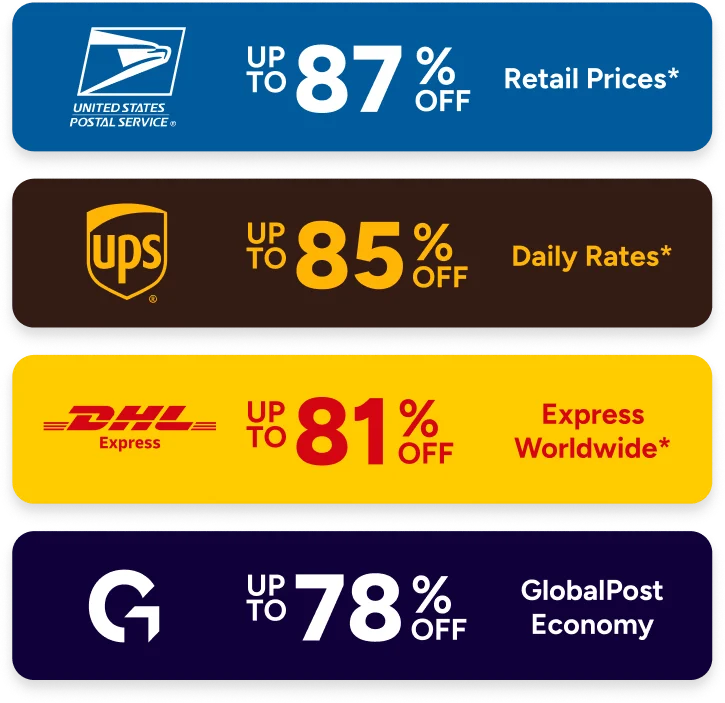
With USPS, Stamps.com customers have access to Commercial Base, Commercial Plus, Cubic Pricing, and Negotiated Service Agreements. Savings include:
With UPS, Stamps.com customers get up to 73% off UPS 2nd Day Air® and up to 77% off UPS® Ground Daily Rates.* Plus, many common surcharges are waived, including the residential surcharge for UPS Ground shipments.
*UPS rates are limited to shipping from the continental U.S. only. These rates and discounts exclude shipment origins from Hawaii, Puerto Rico, and Alaska. These rates and any applicable discounts are subject to change at any time without notice.
Stamps.com makes international shipping easy by offering international services from USPS, UPS, and other carriers including GlobalPost. We make customs forms hassle free, so you can complete them online with ou guidance, and simply print to include with your international shipment.
After a label is printed, Stamps.com automatically uploads the USPS tracking numbers, order info, and mail class back to the order source, including eBay, Amazon, Etsy, and your shopping cart.