
















Running a small business means making every minute and every dollar count. When it comes to shipping, you need reliable carrier access, competitive rates, and tools that save you time without adding complexity. The challenge? Most small businesses lack the shipping volume needed to negotiate favorable rates with major carriers. And logging into three or four carrier websites every day wastes time and causes mistakes.
That’s where multi-carrier shipping software transforms your operations. Stamps.com provides immediate access to deeply discounted rates from UPS, USPS, FedEx, and DHL Express. All managed through a single, cloud-based platform. Instead of juggling separate carrier accounts and manually comparing rates, you gain instant access to savings in one place.
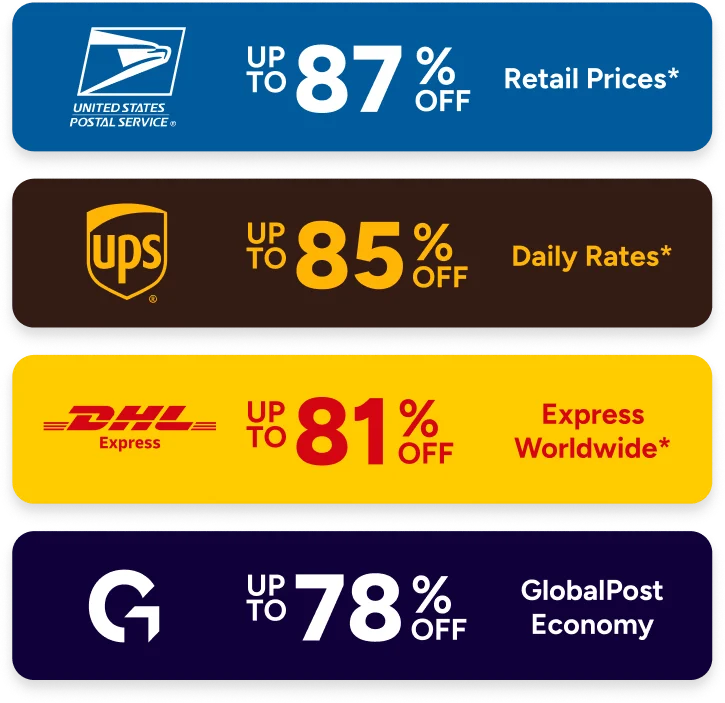
Multi-carrier access saves money: Stamps.com delivers up to 85% off UPS Ground shipments, up to 87% off USPS rates, up to 90% off FedEx, and up to 81% off DHL Express. Ship domestically and to over 220 countries. You don’t need high volume or long contract talks to get these rates.
Automatic rate comparison cuts the guesswork: The Rate Advisor tool compares rates from UPS, USPS, and DHL in seconds. You’ll see the fastest or cheapest option for every package.
One platform keeps things simple: Manage UPS, USPS, and DHL Express shipping from one dashboard. No more juggling multiple carrier websites.
Automation cuts busywork: Connect directly with sales channels to pull orders on their own. Validate addresses, print labels in batches, and track packages across all carriers without typing the same info twice.
Flexibility protects against disruptions: Switch between carriers based on package needs, destination, or service issues. No operational disruption.
The API grows with you: Integrate shipping features into custom applications and warehouse systems. Scale as your business grows.
A multi-carrier platform puts all your shipping tools in one place. You won’t need to log into separate UPS, USPS, and DHL accounts. No printing labels from different systems. No tracking packages across various websites. You manage everything from a single dashboard. You stop switching between tabs to compare prices. It streamlines your entire fulfillment workflow.
The best shipping software for small businesses offers more than just carrier access. Stamps.com works as shipping automation software. It handles label creation, package tracking, and rate comparison on its own. When you’re processing orders, the Rate Advisor tool compares rates in real-time. It checks UPS domestic shipping rates, USPS domestic shipping rates, and DHL Express domestic rates. Then it helps you select the fastest or most affordable option for every package.
Understanding your shipping costs before you send packages is critical. Healthy profit margins depend on it. Stamps.com’s built-in shipping rate calculator shows you accurate costs across all available carriers. Instantly. Instead of visiting separate calculator websites for UPS, USPS, and DHL, you compare all options side-by-side. One click does it all.
This setup helps you in a few key ways. First, you stop overpaying for shipping. The system finds the cheapest option that still gets there on time. Second, you calculate postage accurately down to the last ounce. You won’t overspend on wrong weight guesses anymore. Third, you access carrier rates that normally require big shipping volumes. Or lengthy negotiations.
The Rate Advisor tool looks at your package size, where it’s going, and when it needs to arrive. Then it presents ranked options from UPS, USPS, FedEx, and DHL Express. You see exactly what each service costs and how long delivery takes. That clarity helps you make smarter choices that balance savings with customer satisfaction.
Relying on a single carrier creates risk. It limits your flexibility. UPS domestic shipping might provide better rates for heavier items. It’s great when a business order has to arrive by a set time. USPS domestic shipping offers unmatched reach to residential addresses. Plus competitive pricing for lightweight packages. DHL Express is a strong pick when you’re shipping to other companies. And for international shipments. The best logistics software for small businesses gives you access to all these options.
Different products call for different shipping methods. The same goes for different destinations and customer expectations. A heavier package heading to a commercial address could save money with UPS Ground. A small, lightweight product shipping across town might ship most cheaply through USPS Priority Mail. Time-critical shipments might justify DHL Express when guaranteed delivery times matter. Multi-carrier shipping platforms let you choose the right carrier for each situation. You’re not forcing every package through the same service.
This flexibility pays off during peak shipping seasons. It also helps during carrier slowdowns or when renegotiating service agreements. If one carrier runs into delays in a certain region, you can route packages through other options right away. No disruption to your operations. You also gain bargaining power. Carriers know you have options. You’re not locked into a single provider.
Manual shipping processes drain time, money, and energy from your business. Typing addresses into carrier websites takes time. So does hand-entering weight and dimensions. Printing labels one at a time adds up. Tracking packages across multiple systems creates hours of wasted work each week. Small business shipping tools should cut this busywork. Not add to it.
Stamps.com’s shipping label software connects directly with your sales channels. Order information pulls in on its own. You review orders and verify addresses through built-in validation. Print labels in batches rather than one by one. The system tracks packages and updates customers without you lifting a finger. No manually checking carrier websites. No sending notification emails.
This automation extends to package tracking. Once you create a label, Stamps.com monitors that package from pickup through delivery. Tracking information from UPS, USPS, FedEx, and DHL shows up in your unified dashboard. You see the status of all shipments regardless of carrier. Customers receive tracking updates on their own. No extra work from your team.
Not all multi-carrier shipping platforms deliver the same value. The best options offer three must-haves. Wide carrier access. Real rate discounts. Workflow automation that actually saves time.
Courier software for small businesses must provide immediate access to the carriers your customers expect. Stamps.com offers UPS, USPS, FedEx, and DHL Express shipping under one roof. Nearly every domestic and international destination is covered. You don’t need separate carrier accounts or contracts. Just one Stamps.com account unlocks access to all major shipping options.
The best shipping platform for small businesses also delivers real cost savings. Those discounts matter. These aren’t promo rates that vanish after an intro period. They’re available right away. You don’t need to hit minimum shipping volumes. No lengthy negotiations. You get big-company pricing without big-company commitments.
Finally, logistics software for small businesses should plug into your existing tools without friction. Stamps.com connects with major ecommerce platforms, marketplaces, and business software. Order data pulls in on its own. Tracking information pushes back to your systems. You won’t type the same info twice. Your shipping process keeps moving smoothly.
Complete shipping platforms do more than print labels. The best shipping software for small businesses handles address checks, postage math, rate shopping, batch processing, tracking, and reporting. All from a single screen. Each tool helps you work faster. And keep costs in check.
Address validation catches errors before you ship. Fewer failed deliveries. Lower return costs. Stamps.com verifies addresses against carrier databases. It corrects common mistakes and confirms that delivery addresses work with your selected carrier. This validation prevents wasted shipping costs. And the customer service burden of reshipments.
Built-in reporting shows you what you spend on shipping. Across all carriers. You can see which services you use most often. Spot chances to group your shipments for better rates. See exactly what you spend on shipping for each product line or customer group. This insight supports better business decisions. It helps justify shipping investments to stakeholders.
As your business scales, shipping gets more complex. More orders mean more carriers to manage—and more packages to track. Customer questions about delivery status pile up too. API access becomes essential for businesses building shipping into custom apps. Or connecting with warehouse management systems.
Stamps.com’s multi-carrier shipping API provides direct access through code to all platform features. It supports automated workflows and custom integrations. You can build shipping features directly into your order management system. Connect warehouse scanners and scales. Create custom reporting dashboards. This flexibility ensures your shipping solution grows alongside your business. No platform changes needed as you scale.
The practical impact shows up in several ways. Teams spend less time on manual shipping tasks. More time on work that drives revenue. Customers receive faster, more reliable service. With clear tracking information. Your business stays flexible to pick the right carrier. Based on package size, destination, and delivery promises. And you control costs through automatic rate shopping and discounted carrier rates.
Moving from individual carrier accounts to a unified multi-carrier shipping platform might seem complex. But the process is simple. Stamps.com provides all necessary carrier credentials and connections. You don’t need to maintain separate carrier accounts unless you prefer to use your own negotiated rates.
The platform’s cloud-based setup means you can access your shipping tools from any computer. Internet connectivity is all you need. Print labels from your office, warehouse, or home office. No special software installs required. No special hardware beyond a standard label printer and scale. Your team can begin shipping right after setup. The intuitive interface means minimal training.
For businesses currently using just one carrier, Stamps.com opens new doors. Adding UPS, USPS, and DHL Express access creates new options. You can stand out on service and save on costs. For those managing multiple carrier accounts separately, bringing everything together helps. You stop typing the same info twice. Tracking gets simpler. You get a clearer view of total shipping spend.
Ready to streamline your small business shipping with multi-carrier access and discounted rates? Start your risk-free 30-day trial of Stamps.com today and discover how the right shipping platforms for small businesses transform your operations.
We offer new customers free supplies including free NetStamps and a 5 lb scale so they can get started with the basics required to get the most out of Stamps.com
Yes. Stamps.com allows you to print up to 10,000 labels in one click.
We offer new customers a 30-day risk free trial to see if Stamps.com is right for them. Cancelling any time within the 30-day time frame will result in no charges; however, if you continue past your 30‑day trial, you will be charged a monthly subscription including your first month's fee. Your service will continue uninterrupted unless you cancel.
Log in and navigate to your subscription page to cancel from within the app, or simply call our toll-free number 855-608-2677, M–F 8AM to 8PM CT and our customer support team will be happy to assist you. You can cancel any time.
Our rate advisor feature helps you calculate exact postage or shipping rate for anything you send. All you need is your item's weight and dimensions -- we do all the math for you and recommend cheapest, fastest, and best rates across all carriers.
Yes. Mac users can use our web app on any browser, or they can download our desktop app for Mac for free. Visit stamps.com/download to access all of our apps including our free mobile app.
Yes. Stamps.com can pull order or customer information from virtually any database, from Excel to SQL. Stamps.com also creates an export file that includes mail class, mail date, shipping cost, and tracking number.
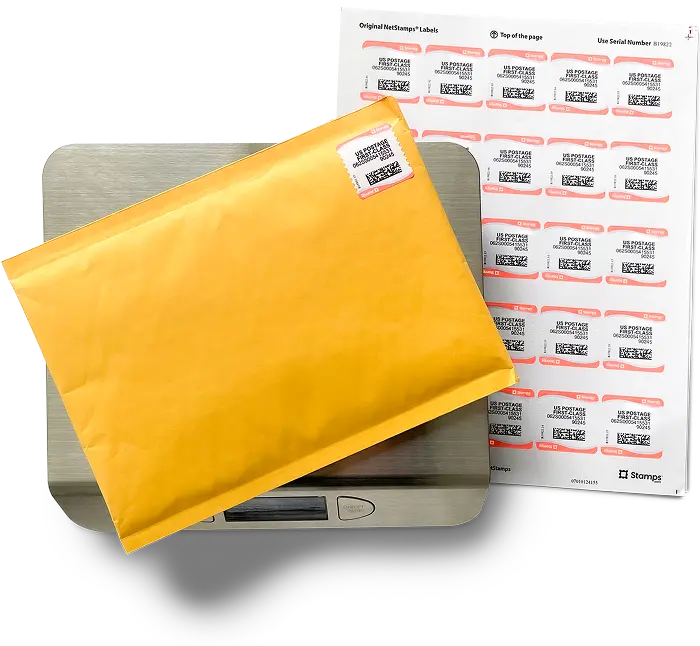
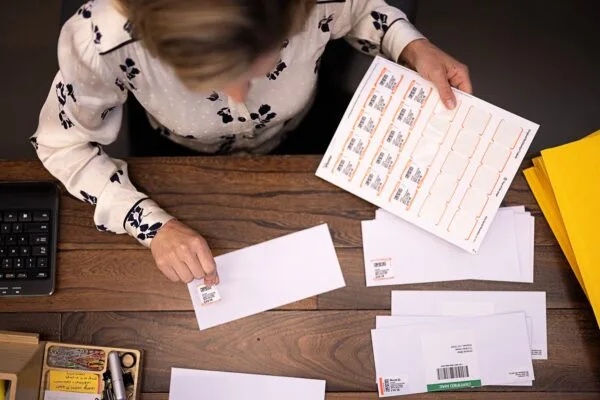
No. All you need is a printer and your computer or phone. You can print shipping labels on plain paper or adhesive labels, postage on our NetStamps® labels or direclty onto any kind of envelope, and on Certified Mail® forms.
Yes. Our reports show you you activity and total spend by carrier, mail class, shipping service -- so you always know how much you send. You can customize your reports by date and, if you are on our multi-location plan, you can also view activity and spend per location and user.
Yes. You can add users to the same Stamps.com account - user limits vary by plan. If your organization has multiple locations, you can switch to our multi-location plan. Visit stamps.com/multilocation to learn more
Yes. You can connect your shopping carts and marketplaces including Shopify, eBay, Amazon, and Etsy with Stamps.com in under 5 minutes. You can also import your orders from a CSV file, Microsoft Excel, XML, or your own ODBC.
Our multi-location plan, designed for companies with 2+ office locations, gives each location the ability to print postage and labels as needed, while capturing information about how much is sent and spent in a single dashboard to give the business the ability to budget. No leases, no contracts, and best-in-class support available when your users need it. Visit stamps.com/multi-location to learn more
Nonmachinable envelopes might be non-rectangular, rigid, unevenly thick, or have non-paper closures, meaning they cannot be processed efficiently by USPS's automated sorting equipment, and require special handling, resulting in a surcharge in addition to the standard postage.
The Shipment Confirmation Acceptance Notice (SCAN) form ensures that your packages are scanned by the USPS when they are dropped off or picked up by a mail carrier, so your customer can feel confident that their package is on its way.
Using Stamps.com, you’ll be able to create a SCAN form with a few clicks. Then, hand the form to the clerk or mail carrier, and they will scan the barcode on the form. This scan records an Acceptance event for all the packages associated with the form without having to scan each package individually.
Stamps.com gives you access to all mailing and shipping services from USPS, UPS, DHL, and other top carriers. Visit stamps.com/carriers for a full list.
We support all printers from laser and inkjet to high speed thermal printers.
With USPS, Stamps.com customers have access to Commercial Base, Commercial Plus, Cubic Pricing, and Negotiated Service Agreements. Savings include:
With UPS, Stamps.com customers get up to 73% off UPS 2nd Day Air® and up to 77% off UPS® Ground Daily Rates.* Plus, many common surcharges are waived, including the residential surcharge for UPS Ground shipments.
*UPS rates are limited to shipping from the continental U.S. only. These rates and discounts exclude shipment origins from Hawaii, Puerto Rico, and Alaska. These rates and any applicable discounts are subject to change at any time without notice.
Stamps.com makes international shipping easy by offering international services from USPS, UPS, and other carriers including GlobalPost. We make customs forms hassle free, so you can complete them online with ou guidance, and simply print to include with your international shipment.
After a label is printed, Stamps.com automatically uploads the USPS tracking numbers, order info, and mail class back to the order source, including eBay, Amazon, Etsy, and your shopping cart.